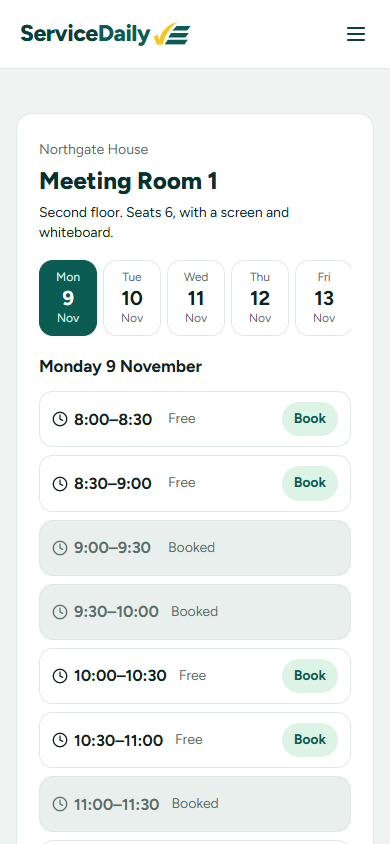
Room and facility booking
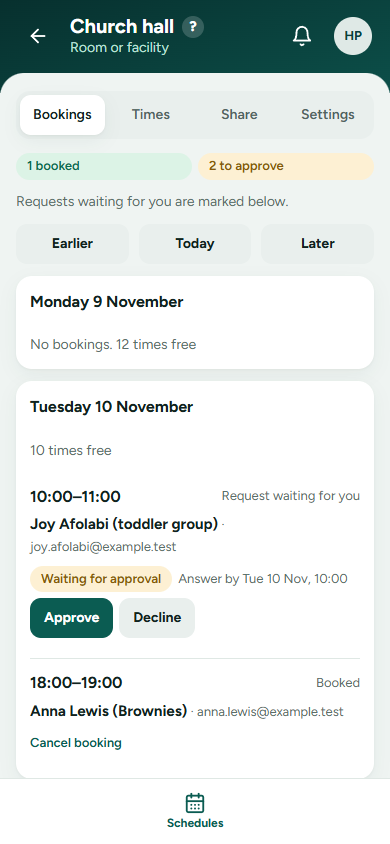
Meeting rooms, halls, kitchens and minibuses, in 30- or 60-minute slots or your own times. Optionally approve each request first.
Offices, church halls, community centres, shared buildings
Shared Schedules Free
Set up a schedule once and share its link or QR code. People choose a time from their phone, with no account and no app, and you can see who is coming.
Already use Service Daily? Sign in and turn it on with the same login.
Three Ways to Use It
Meeting rooms, halls, kitchens and minibuses, in 30- or 60-minute slots or your own times. Optionally approve each request first.
Offices, church halls, community centres, shared buildings
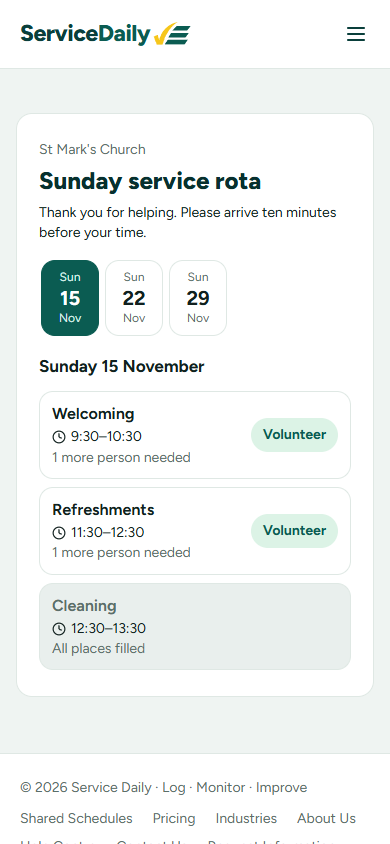
Each responsibility with its times and how many people are needed. Volunteers put their own name down and can see where help is still needed.
Churches, charities, clubs, schools, food banks
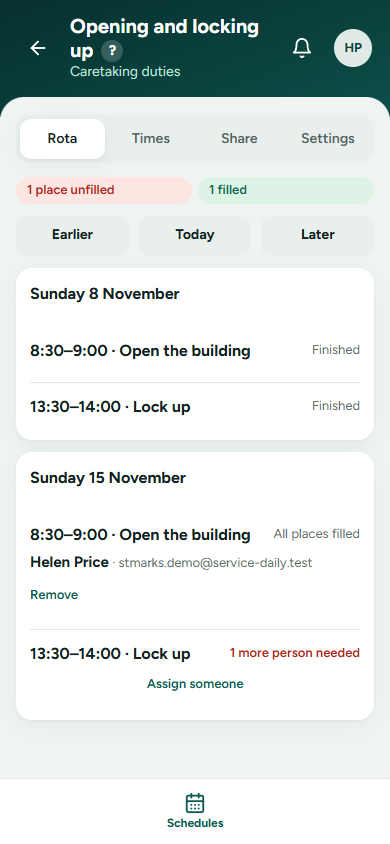
Opening up, locking up and checks. You assign them, or members of your organisation claim them. Gaps are easy to spot.
Premises teams, caretakers, building volunteers
How It Works
Choose room, rota or duties, then the days, times and how often it repeats.
One permanent link and QR code. Print it, email it or put it in your newsletter.
From their phone, with no account or app. They confirm from the email we send.
See who is coming, approve requests, fill gaps and change times when plans change.
Built In
The link never changes, so printed codes keep working when you change times or names.
One-off, daily or weekly, with slot lengths, places per time and closed dates.
No account or app. Confirmation and reminder emails with a calendar file, and a private link to change or cancel.
Requests wait for you if you choose. Unanswered ones lapse after 48 hours, or at their start time, and the place is released.
The public page shows only how many places are left, never names. Choose who can book: anyone with the link, invited people or members.
A place counts once the person confirms from their email, and a bot check stops automated sign-ups.
Free Allowance
Booking and security safeguards apply, such as email confirmation, a bot check and limits on how many bookings one person can hold.
Reaching a limit never hides or deletes anything. Archive a schedule you no longer use to make room for another.
Need to look after the building too? Service Daily Operations adds problem reporting by QR code, work records and contractor reporting, on a 30-day free trial.
Questions
No. They open the link or scan the QR code, choose a time and give their name and email. They confirm from the email we send, and get a private link to change or cancel.
Yes. The free plan has no expiry date and needs no payment details. It includes 2 active rooms or facilities and 2 active volunteer rotas or caretaking schedules, with bookings up to 12 weeks ahead. People booking a public schedule never pay and need no account. Booking and security safeguards apply, such as email confirmation, a bot check and limits on how many bookings one person can hold. If you need another schedule, archive one you no longer use. Its bookings and records are kept. See pricing
Nothing is hidden or deleted. To add another schedule, archive one you no longer use. Its bookings and records stay available, and you can bring it back later.
No. Sign in and turn on Shared Schedules for your organisation with the same login. Your Operations records are not changed. Sign in and turn it on
The organisation owner, and anyone they make a schedules organiser. Organising schedules gives no access to Operations records such as staff, jobs or reports.
Free volunteer rotas and hall booking on one QR link, with caretaking duties and premises reporting.
Cleaning and maintenance visibility across sites and providers, with issues followed through.
Free meeting room booking on QR links, shared office jobs, and requests that reach the right person.
A rota, a room or a duty list, ready to share in a few minutes. No payment details needed.